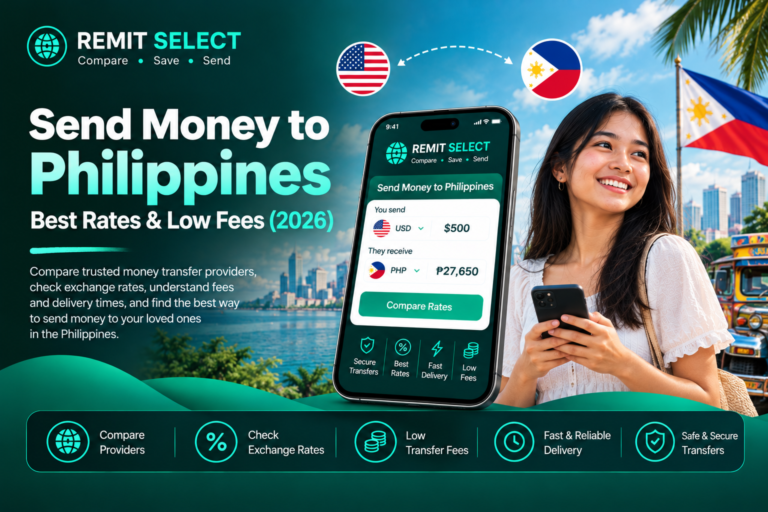

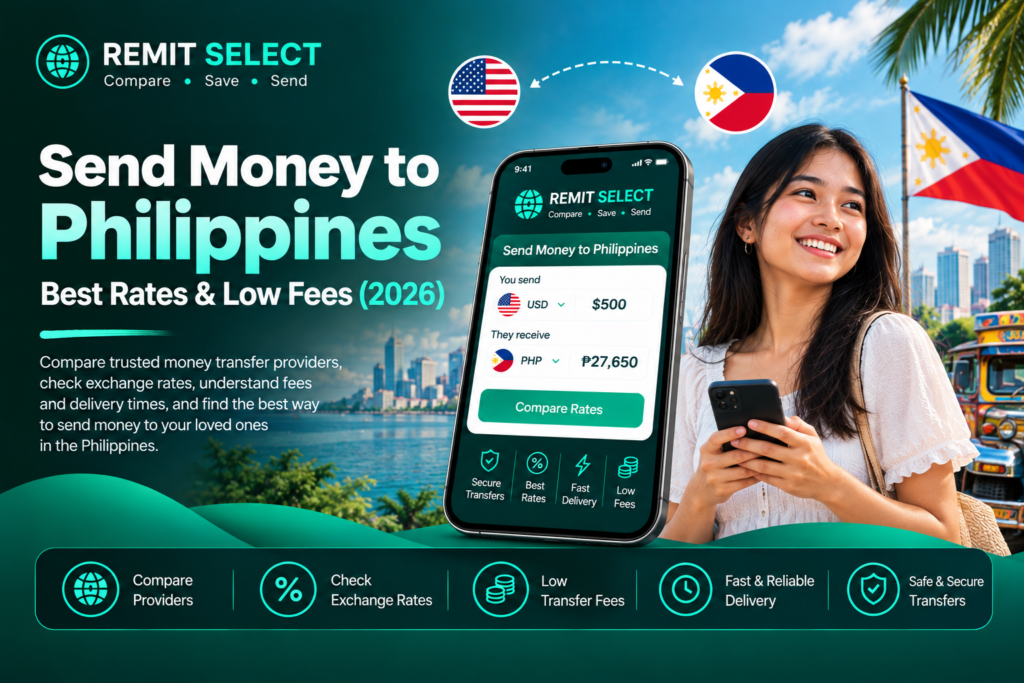
Whether you are supporting family, paying household expenses, or sending money to loved ones, finding the best way to send money to Philippines can make a real difference to how much your recipient receives.
People sending money from the United States, United Kingdom, and Canada can choose from online money transfer services, bank transfers, mobile wallets, and cash pickup networks. However, not every provider offers the same exchange rate, transfer fee, delivery speed, or payout options.
A service advertising a zero transfer fee is not always the cheapest option. A less favorable exchange rate can reduce the amount your family receives, even when the upfront fee appears low.
In this guide, Remit Select explains how to compare international money transfer services, send money directly to GCash, choose a suitable payout method, and avoid unnecessary costs.
Quick answer: The best way to send money to the Philippines is to compare the total transfer cost, PHP exchange rate, delivery time, and available payout methods before paying. Choose the provider that delivers the best overall value for your specific transfer.
What Is the Best Way to Send Money to the Philippines?
The best method depends on where you are sending money from, how quickly the recipient needs it, and how they want to receive the funds.
| Transfer method | Best for | What to consider |
|---|---|---|
| Online money transfer services | Convenient international transfers | Compare exchange rates, fees, and delivery estimates |
| Bank transfers | Sending money directly to a Philippine bank account | Check transfer charges and processing times |
| Mobile wallets such as GCash | Recipients who prefer digital payments | Confirm wallet eligibility, limits, and supported currencies |
| Cash pickup | Recipients who need cash | Check collection locations, identification requirements, and fees |
| International bank wires | Certain larger or business-related transfers | Intermediary bank charges and processing times may apply |
For many everyday personal transfers, an online money transfer service is a convenient starting point because you can usually check the exchange rate, fees, and estimated amount received before confirming.
To compare a real transfer amount, use the Remit Select USD-to-PHP comparison tool. Enter your sending amount and review the available options before choosing a provider.
The cheapest option is not necessarily the fastest, and the fastest service may not offer the best exchange rate. Compare the final amount received under the same transfer conditions.
How to Send Money to the Philippines Step by Step
If you are sending money internationally for the first time, the process is usually straightforward.
Step 1: Choose a money transfer provider
Look for a reputable provider that supports your sending country and the Philippines as the destination.
Use Remit Select’s money transfer comparison tool to explore available transfer options. You can also review individual provider profiles, including Ria Money Transfer, TapTap Send, Western Union, and Wise.
Compare the providers available for your specific corridor rather than assuming every company supports transfers from every country.
Step 2: Enter your sending amount
Enter the amount you want to send in your local currency, such as US dollars (USD), British pounds (GBP), or Canadian dollars (CAD).
The provider will calculate the estimated amount your recipient may receive in Philippine pesos (PHP).
Step 3: Compare the exchange rate and fees
Check the following details:
- Exchange rate: How many Philippine pesos you receive for each unit of your sending currency.
- Transfer fee: The fee charged for sending the money.
- Additional charges: Potential payment method, intermediary bank, or receiving fees.
- Amount received: The final amount your recipient is expected to receive.
The final amount received is often the most useful figure when comparing similar transfers.
Step 4: Enter the recipient’s details
Depending on the provider and payout method, you may need the recipient’s full name, bank account information, mobile wallet details, or other identification information.
Make sure the recipient’s details match the requirements of the receiving bank or wallet. Incorrect information can cause delays or failed transfers.
Step 5: Select a payment method
Available payment methods may include bank transfers, debit cards, credit cards, or other supported local payment options.
The payment method can affect the total cost and processing time. Review the final quote before proceeding.
Step 6: Review and confirm your transfer
Before confirming, check the exchange rate, fees, delivery estimate, recipient information, and final PHP amount.
Save the transaction reference so you can track the transfer or contact customer support if necessary.
How to Send Money to the Philippines From the USA
If you want to send money to the Philippines from the USA, you can compare online transfer services, bank transfers, mobile wallet payments, and cash pickup options.
Most providers that support this corridor allow you to enter a USD amount and receive a quote showing the estimated amount in PHP.
To find a suitable service:
- Enter the amount in US dollars.
- Select the Philippines as your destination.
- Compare the USD-to-PHP exchange rate.
- Check the transfer fee and estimated delivery time.
- Confirm that the recipient’s preferred payout method is supported.
For example, a recipient who uses a Philippine bank account may prefer a direct bank deposit. Someone who relies on a mobile wallet may prefer a provider that supports GCash payouts.
The right choice depends on the actual quote and your recipient’s needs.
How Can I Send Money From the Philippines to the USA?
Sending money in the opposite direction is a different process. If you are asking how to send money from the Philippines to the USA, you need a provider that supports outbound transfers from the Philippines.
Not every international transfer service supports both directions of a currency corridor.
Before starting, check:
- Whether the provider accepts transfers originating in the Philippines.
- Which payment methods are available to Philippine residents.
- Whether the recipient can receive funds in a US bank account or through another supported payout method.
- The applicable exchange rate, fees, transfer limits, and delivery time.
- Whether identity verification or documentation is required.
You may also need to comply with the sending provider’s local requirements and applicable Philippine regulations.
Choose a service that explicitly supports transfers from PHP to USD rather than assuming that a provider offering US-to-Philippines transfers also supports the reverse direction.
How to Send Money to the Philippines From the UK
If you want to send money to the Philippines from the UK, compare providers that support transfers from GBP to PHP.
The main factors to consider are the exchange rate, total fee, payment method, and the amount the recipient will receive.
How to Send Money Online From the UK to the Philippines
You can generally complete an online transfer by following these steps:
- Choose a provider that supports UK-to-Philippines transfers.
- Enter the amount in British pounds.
- Review the quoted GBP-to-PHP exchange rate.
- Choose bank deposit, mobile wallet, or cash pickup if available.
- Enter the recipient’s details and complete any required verification.
- Review the final cost and confirm the payment.
Some services offer introductory promotions or reduced fees for eligible new customers. Check the conditions carefully, because promotional rates may apply only to certain amounts, payment methods, or first transfers.
You can explore TapTap Send and other provider profiles on Remit Select to learn more about their services. Confirm that each provider supports your sending country and the payout method your recipient needs.
Tip: Compare the actual PHP amount delivered rather than relying on a promotional headline or a zero-fee claim.
How to Send Money to the Philippines From Canada
For people who want to send money to the Philippines from Canada, the usual process involves comparing CAD-to-PHP exchange rates and choosing a suitable payout method.
Start by checking which providers accept Canadian-dollar payments and support your recipient’s preferred method in the Philippines.
Before confirming, compare:
- The CAD-to-PHP exchange rate.
- The upfront transfer fee.
- Any additional payment or receiving charges.
- The estimated delivery time.
- The amount the recipient will receive in PHP.
A provider with a lower fee may still deliver less money if it offers a weaker exchange rate.
Example: Comparing Two Transfer Quotes
Imagine you want to send CAD 500 to the Philippines.
| Detail | Provider A | Provider B |
|---|---|---|
| Sending amount | CAD 500 | CAD 500 |
| Transfer fee | CAD 3 | CAD 0 |
| Illustrative exchange rate | 41.00 PHP/CAD | 40.50 PHP/CAD |
| Approximate PHP delivered | PHP 20,377 | PHP 20,250 |
These figures are hypothetical and exclude any other applicable charges. They demonstrate how a transfer with no upfront fee can deliver less money.
In this example, Provider A delivers PHP 127 more despite charging a transfer fee.
Always compare live quotes before sending money, as exchange rates and fees can change.
How to Send Money to the Philippines Through GCash
GCash is a mobile wallet used in the Philippines for supported digital payments and money management services. If your recipient uses GCash, receiving an international remittance directly into their wallet may be convenient.
However, not every international transfer provider supports GCash, and eligibility can vary by sending country, provider, and recipient account.
Steps to Send Money to GCash
- Choose a money transfer provider that supports GCash payouts for your sending country.
- Enter the sending amount and select the Philippines.
- Select GCash or the supported mobile wallet payout option.
- Enter the recipient’s required wallet details accurately.
- Review the exchange rate, fees, and estimated delivery time.
- Confirm the transaction and retain the reference number.
Your recipient may need an eligible GCash account, and wallet limits or verification requirements may apply.
For official information, visit the official GCash website and review the relevant information about its services and receiving international remittances.
Is GCash the Best Way to Receive Money in the Philippines?
GCash can be a practical option for recipients who prefer to manage money through a mobile wallet instead of collecting cash.
However, it is not automatically the best option for everyone.
Consider GCash if your recipient:
- Already uses an eligible GCash account.
- Prefers convenient access to funds through a mobile wallet.
- Wants to use supported wallet features after receiving the money.
- Can receive the transfer within applicable wallet limits.
A bank deposit may be more suitable for someone who wants the money deposited directly into their bank account. Cash pickup may be more convenient for someone who cannot access a suitable digital account.
Compare the total cost and confirm the available payout methods before choosing.
What Is the Best Way to Send Money in the Philippines?
The best way to send money in the Philippines depends on whether you are sending money from abroad, transferring funds domestically, or sending money out of the country.
For international transfers, compare providers that are appropriately authorized for the relevant service and jurisdiction.
For domestic transfers, available options may include bank transfers, mobile wallets, and other supported local payment services.
For international transfers in either direction, evaluate these five factors.
1. Total cost: Consider the transfer fee and the effect of the exchange rate.
2. Delivery speed: Check the estimated arrival time, including any additional verification or bank processing.
3. Convenience: Choose a method that works for both the sender and recipient.
4. Reliability and security: Check the provider’s regulatory status, customer support, transaction tracking, and identity verification practices.
5. Payout availability: Confirm that the recipient can receive the money through their preferred bank, wallet, or cash pickup location.
There is no single provider that is always best for every transfer. A suitable option for a small urgent payment may differ from the best choice for a larger, non-urgent transfer.
How Much Does It Cost to Send Money to the Philippines?
The cost of sending money depends on the provider, sending country, payment method, transfer amount, exchange rate, and payout method.
Some providers charge an upfront fee, while others incorporate part of their revenue into the exchange rate. Additional charges may also apply in certain circumstances.
For example, a provider offering a transfer fee of zero may use a less favorable exchange rate than a provider charging a small fee.
To understand the real cost, check both the total amount you pay and the amount the recipient receives.
How to Compare Exchange Rates
Suppose two providers offer different quotes for the same transfer:
- Provider A offers a stronger exchange rate but charges a transfer fee.
- Provider B advertises no transfer fee but offers a weaker exchange rate.
The best option depends on the final amount delivered after applicable charges.
Use the following formula as a starting point:
Recipient amount = Amount exchanged × Exchange rate − applicable deductions
This is a simplified calculation. Actual quotes may deduct the transfer fee before currency conversion, use different fee structures, or include other charges. The provider’s final quote should therefore be used for the comparison.
For international transfers, the most useful comparison is the final amount the recipient receives under the same sending amount and payout conditions.
You can also review Wise money transfer information and compare it with other providers. Rates, fees, and transfer availability vary by corridor and transaction.
How Long Does It Take to Send Money to the Philippines?
Transfer times vary by provider, sending country, payment method, recipient bank or wallet, and any required verification.
| Transfer method | General timing considerations |
|---|---|
| Online transfers to supported wallets | May arrive quickly, depending on the provider and transaction |
| Bank deposits | Can take longer depending on bank processing and transfer arrangements |
| Cash pickup | Depends on provider processing and when funds become available for collection |
| International bank wires | May require additional processing or intermediary banks |
These are general descriptions, not guaranteed delivery times. Some transfers may be delayed by public holidays, compliance checks, incorrect recipient information, or payment processing issues.
Always review the delivery estimate displayed before you pay, and check whether it is an estimate or a guaranteed arrival time.
Is It Safe to Send Money to the Philippines Online?
Online money transfers can be convenient, but it is important to choose a provider carefully.
Before sending money, check the following:
- Regulatory status: Verify the provider’s authorization or registration with the relevant regulator for the service and jurisdiction.
- Website security: Use the provider’s official website or verified application.
- Transparent pricing: Review fees, exchange rates, and the final amount before paying.
- Customer support: Check how to contact the provider if a transfer is delayed.
- Recipient details: Confirm the recipient’s bank or wallet information before submitting the transaction.
- Transaction tracking: Retain the confirmation and reference number.
Never share passwords, one-time verification codes, or sensitive account credentials with someone claiming to help process your transfer.
For information about financial services regulation in the Philippines, consult the Bangko Sentral ng Pilipinas. Check the appropriate regulator in the sending country as well.
Remember that a provider’s presence in a comparison directory does not replace your own verification of its authorization, terms, and suitability for your transaction.
Common Mistakes to Avoid When Sending Money to the Philippines
Avoiding a few common mistakes can help you reduce unnecessary costs and delays.
Choosing a Provider Based Only on Fees
A low or zero transfer fee does not necessarily mean the recipient will get more money. Compare the exchange rate and final amount delivered.
Ignoring the Recipient’s Preferred Payment Method
A provider may offer a competitive rate but not support your recipient’s bank or mobile wallet. Check payout availability before proceeding.
Entering Incorrect Recipient Information
Incorrect names, account numbers, or wallet details can cause delays or failed transfers. Review all details before confirming.
Assuming Every Provider Supports Both Directions
A company that supports transfers from the USA to the Philippines may not support transfers from the Philippines to the USA. Confirm the exact sending and receiving corridor.
Overlooking Transfer Limits
Providers may apply minimum and maximum amounts, wallet limits, identity verification requirements, or additional documentation rules.
Failing to Check Promotions
Promotional rates and reduced fees can have eligibility conditions. Check the expiry date, maximum transfer amount, and whether the offer applies to your particular corridor.
Frequently Asked Questions About Sending Money to the Philippines
What Is the Cheapest Way to Send Money to the Philippines?
The cheapest method depends on the sending country, amount, payment method, exchange rate, and payout option. Compare live quotes from multiple providers and choose the option that delivers the most PHP after applicable charges.
How Can I Send Money to the Philippines From the UK?
Choose a provider that supports GBP-to-PHP transfers, enter the sending amount, compare exchange rates and fees, select an available payout method, and confirm the transaction after reviewing the final amount.
How Do I Send Money From Canada to the Philippines?
Use a provider that accepts transfers from Canada to the Philippines. Compare CAD-to-PHP quotes, review delivery estimates, and select a supported bank deposit, wallet, or cash pickup option.
Can I Send Money to the Philippines Through GCash?
Yes, if your chosen international transfer provider supports GCash payouts for your sending country and your recipient meets the applicable account and wallet requirements. Check the available options before confirming.
How Can I Send Money From the Philippines to the USA?
Choose a provider that explicitly supports outbound transfers from the Philippines to the United States. Check accepted payment methods, transfer limits, verification requirements, fees, and the recipient’s available payout method.
How Do I Send Money From the Philippines to a US Bank Account?
First, find a provider that supports transfers originating in the Philippines and paying into a US bank account. Confirm the recipient’s required bank details, currency conversion, transfer limits, and final cost.
How Long Does a Transfer to the Philippines Take?
Some transfers may arrive quickly, while others can take longer because of bank processing, payment method, public holidays, or verification checks. Check the provider’s current estimate before paying.
Can I Send Money to the Philippines Without a Bank Account?
Possibly. Depending on the provider and sending country, you may be able to use an eligible card, supported payment method, or cash-based service. The recipient may also have cash pickup or mobile wallet options. Availability varies by corridor.
Is It Better to Send Money to a Philippine Bank Account or GCash?
A bank deposit may suit recipients who prefer their funds in a bank account, while GCash may suit eligible users who prefer a mobile wallet. Compare the fees, exchange rate, limits, convenience, and available services.
What Information Do I Need to Send Money to the Philippines?
Depending on the provider and payout method, you may need the recipient’s full name, bank or wallet details, your own identification, and information about the purpose of the transfer. Follow the provider’s specific requirements.
Final Thoughts: Compare Before You Send
Finding the best way to send money to Philippines involves more than choosing a familiar brand or looking for a zero-fee offer. Exchange rates, transfer fees, payout methods, delivery times, and provider requirements all affect the experience.
Whether you are sending money from the USA, UK, or Canada, start by comparing the final amount your recipient will receive. If you are considering GCash, confirm that your provider supports the wallet for your specific transfer.
For transfers in the opposite direction, make sure the service supports sending money from the Philippines to the USA rather than assuming every provider offers both directions.
At Remit Select, our goal is to help people make more informed money transfer decisions through provider discovery and comparison.
Compare money transfer options with Remit Select before you send. Because your family deserves more.